
TivoSlimserverClient
NOTE: This project is no longer maintained. It was a fun and educational undertaking at a time before networked/distributed audio systems were commonplace and affordable.
What is it?
TivoSlimserverClient is a software application that turns your network-enabled Tivo Series2 DVR into a streaming audio client for SlimServer.
TivoSlimserverClient makes it easy to navigate your music collection, and offers the added benefit of jukebox-like song queuing.
Features/Screenshots:
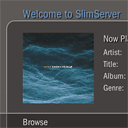 Streaming: The most basic function of the client is to play an mp3 stream on your Tivo. This feature is greatly enhanced if your television has decent speakers, or is connected to a home audio system.
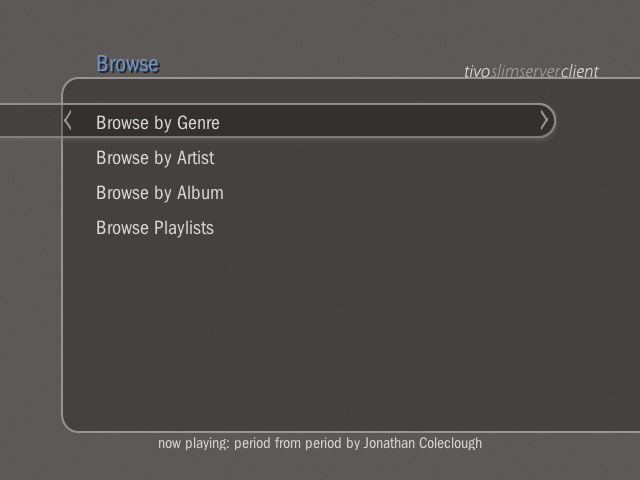
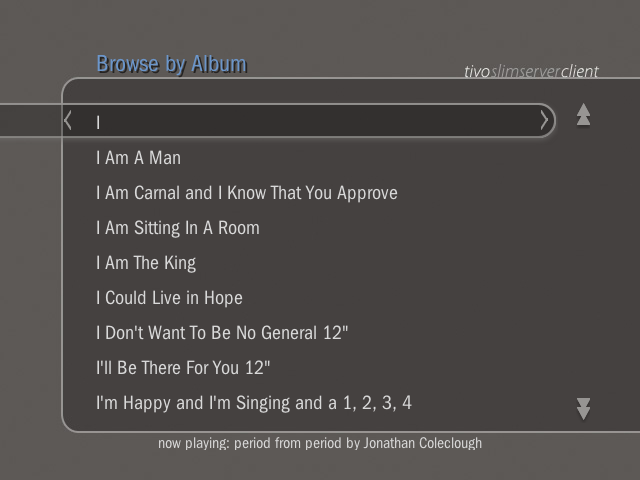
- Browsing: The second most important feature is enabling you to find music that you want to hear. TivoSlimserverClient lets you browse by genre, artist or album. Unlike Tivo Desktop, which presents your music library in long lists, TivoSlimserverClient divides albums or artists alphabetically, allowing you to quickly navigate to the item you want.
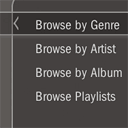
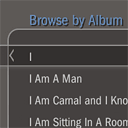
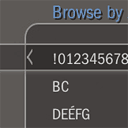
- Playlists: SlimServer supports playlists, and will even import your iTunes playlists if you ask it nicely. TivoSlimserverClient lets you browse and listen to all the playlists in your SlimServer library.
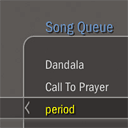 Song Queue/Jukebox: As you browse your music library in TivoSlimserverClient, it is easy to select songs to listen to. You can choose to play a song immediately, add it to the end of the queue, or even add it to the top of the queue; it will play next.
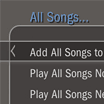 You can add whole albums at once, or even whole genres or all songs by an artist. And, of course, you can Play Now, Play Next, or Add to Queue.
- If you change your mind about a selection, you can easily remove it from the Song Queue. TivoSlimserverClient allows you to delete queue items and change the order by moving songs up or down.
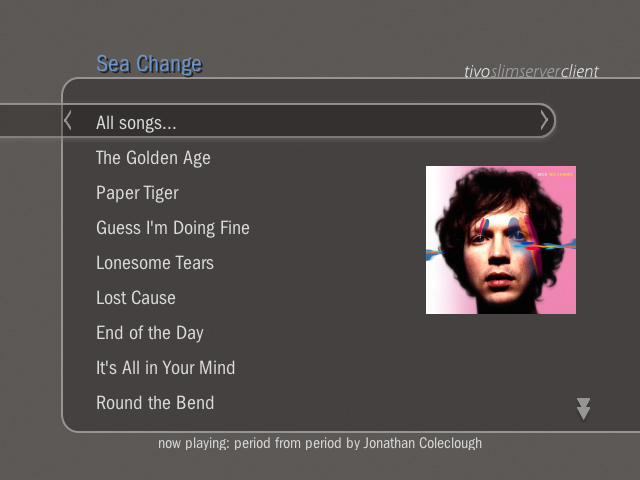
- More screenshots:





Download:

TivoSlimserverClient for Mac
Version: 0.2.2a
Price: Free!
Download dmg (1.1MB)
 TivoSlimserverClient
Version: 0.2.2a
Price: Free!
Download app + hme jars (476 KB)
Download jar (92 KB)
- Mac users:
- Download the dmg. It contains a crude app bundle to make life easier for Mac users.
- Double-click the dmg file to mount.
- Drag TivoSlimserverClient to your hard drive.
- Unmount dmg.
- Standalone users (command line):
- Download the app + hme jars version.
- From the command line, change to the TivoSlimserverClient folder:
-
cd /path/to/TivoSlimserverClient
- Type the following command, and hit Enter:
-
./start.sh
- You should see some output similar to this:
-
HME SDK 1.4 (TiVo, Inc.)
LOG: added factory
MDNS: http://127.0.0.1:49297/tivoslimserverclient/
- Run to your Tivo to try it out!
- Galleon users:
- To use TivoSlimserverClient with Galleon, download the jar version. Copy the jar into Galleon’s “hme” folder and add the following line to launcher.txt:
-
com.edmondcho.tivoslimserverclient.TivoSlimserverClient
- Restart the Galleon service.
- Source: Galleon FAQ
Change Log
- 0.1a
- Initial release
- 0.2a
- made selection bar wider for Choose Player
- made generic “Artwork Not Available” graphic
- added Maximum Bitrate preference
- added song length to main info screen
- made server status queries more efficient
- fixed exception that occurred when slimserver cli command was prepending player address at launch.
- 0.2.1a
- compatibilty with Slim Server 6.5
- 0.2.2a
- fixed “players count ?” crash
- fixed duration display to support hours and leading zeroes
- Tivo Remote Shortcuts help screen now scrollable
- added duration to Song Info screen
- using generic art on Song Info and Album Info screens
Support:
This software is no longer supported.
Requirements:
- SlimServer
- Version 6.5 or higher
- SlimServer is the engine behind Slim Devices’ Squeezebox network music player. The server software is released under the Open Source GPL license. I have been using it for a while to listen to my home music collection while working in the office.
- Follow the instructions in the BeginnersGuide to get SlimServer running.
- Currently, TivoSlimserverClient will only work with SlimServer running on the same host as Tivo HME.
- Tivo HME
- Tivo HME is an “open platform for applications that are displayed and controlled by broadband-connected TiVo Series2 DVRs.” The SDK is released under the Common Public License (CPL).
- According to Tivo, to use HME, your Tivo must be:
- A Series2 Tivo DVR (not supported on DirecTV or Series 1 DVR)
- Connected to your home network.
- Running Tivo service update 7.1-X or higher.
- Also, your PC must:
- have Java 1.4.2 (or later) installed.
- if you use Windows XP SP2, the Windows Firewall may prevent your DVR from talking to your PC. You must allow an exception for HME.
Source for Tivo HME requirements: tivohme.sourceforge.net
- Tivo HME applications running behind a firewall will generally have trouble unless you open up a few ports to network traffic:
- Open port 5353 to UDP traffic. This allows Tivo to discover HME applications via multicast DNS (Rendezvous/Bonjour).
- Open port 7288 to TCP traffic. This lets Tivo access the applications.
- TivoHME Quick Start
Acknowledgments:
I would like to thank the following:
- Dave at bitrazor.com, aka F8ster on the tivocommunity.com forums, whose tutorials on getting started with Tivo HME SDK, Bananas SDK and Eclipse IDE were instrumental in getting me started on this project.
- Fred at the Slim Devices forums for his feedback on the command line interface to SlimServer.
Disclaimer:
This software is provided as-is, and is free of charge. USE AT YOUR OWN RISK. I am not responsible for any problems that may occur as a result of attempting to install the required Java Runtime Environment or SlimServer software. Support requests will be handled as time permits, please be patient. I will not provide support for installation of JRE or SlimServer. Please refer to the provided informational links for guidance.